Gray Screen - Online Full Gray Screen Test
Gray Screen Test Online
This Gray Screen Test tool turns your display into a full gray background instantly. A gray screen full screen test is one of the most effective ways to evaluate OLED displays, LCD monitors, gaming monitors, televisions, laptops, tablets, and smartphones.
What Can a Gray Screen Detect?
Gray is often considered the most revealing display testing color because it sits between black and white. Many display issues become much easier to see on gray backgrounds.
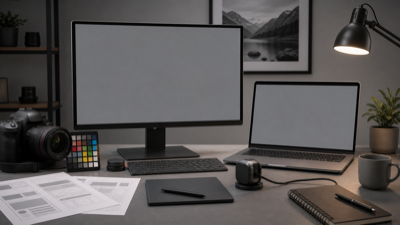
A full gray screen makes OLED burn-in, dirty screen effect, banding, tint shift, and brightness uniformity problems easier to inspect.
1. OLED Burn-In Detection
A gray screen is widely regarded as the best color for identifying OLED burn-in.
Burn-in often appears as:
- Navigation bar shadows
- Status bar retention
- App icon outlines
- Keyboard outlines
- Video player controls
- Logo retention
Example
An OLED smartphone may look perfectly normal during daily use, but a 50% gray screen can reveal faint status bar marks or navigation button outlines.
2. Dirty Screen Effect (DSE)
Dirty Screen Effect (DSE) occurs when certain areas of the display appear darker or lighter than others.
The display may look:
- Patchy
- Cloudy
- Dirty
- Uneven
Example
Sports fans often notice DSE when watching soccer fields, hockey rinks, or panning camera shots. A gray screen makes these uneven areas easy to identify.
3. Color Banding
A gray screen is one of the best ways to identify banding.
Instead of smooth color transitions, you may see:
- Visible stripes
- Sharp transitions
- Uneven gradients
Example
A properly functioning display should show a smooth gray appearance. If you notice distinct bands or lines, the display may suffer from color banding.
4. Brightness Uniformity
Gray backgrounds make brightness differences highly visible.
Look for:
- Dark corners
- Bright centers
- Uneven illumination
- Edge darkening
Example
If the left side of the display appears brighter than the right side, your monitor may have brightness uniformity issues.
5. Tint Shift and Color Uniformity
Gray is extremely effective at exposing subtle color shifts.
You may notice:
- Green tint
- Pink tint
- Yellow tint
- Blue tint
Example
Many OLED panels show slight green or pink tinting when displaying gray backgrounds.
Which Devices Are Best for Gray Screen Testing?
1. OLED Smartphones
Especially useful for:
- Burn-in detection
- Uniformity checks
- Tint shift testing
Examples:
- iPhone OLED models
- Samsung Galaxy devices
- Google Pixel devices
2. OLED Monitors
Useful for:
- Burn-in inspection
- Uniformity testing
- Professional display evaluation
3. OLED TVs
Gray screen testing is commonly used by professional TV reviewers.
Useful for:
- Burn-in detection
- Dirty Screen Effect testing
- Panel quality evaluation
4. Gaming Monitors
Gray screens help gamers identify:
- DSE
- Banding
- Backlight issues
- Uniformity problems
Gray Screen Testing Workflow
Step 1
Open the Gray Screen tool and enter fullscreen mode.
Step 2
Set brightness between 30% and 70%.
Many display issues become easier to identify at moderate brightness levels.
Step 3
View the display from a normal viewing distance.
Look for:
- Burn-in
- Uneven brightness
- Dark spots
- Tint differences
Step 4
Move closer to inspect details.
Check for:
- DSE
- Banding
- Color shifts
- Pixel defects
Step 5
Compare with:
- Black Screen
- White Screen
- Red Screen
- Green Screen
- Blue Screen
- Yellow Screen
A complete display inspection should use multiple colors.
How to Interpret Gray Screen Test Results
Usually Normal
Minor brightness differences at screen edges are common.
Slight tint variation that is invisible during normal use is usually acceptable.
Potential Problems
You may have a display issue if you notice:
- Visible burn-in
- Strong tint shifts
- Obvious DSE
- Severe banding
- Uneven brightness
When to Contact Support
Consider warranty service if:
- Burn-in is visible during normal use
- Tint shift affects productivity
- DSE is noticeable in games or videos
- Brightness non-uniformity is severe
Other Practical Uses of Gray Screen
Gray screens are also useful outside display defect testing because neutral gray makes exposure, contrast, and tonal differences easier to evaluate.
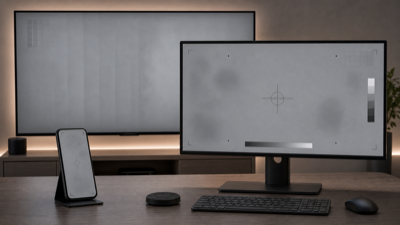
A neutral gray fullscreen page is also useful for calibration, design contrast checks, video grading, and comparing multiple displays.
1. Photography Exposure Calibration
Gray backgrounds are commonly used for exposure evaluation.
Example
Photographers frequently use gray cards to establish proper exposure and white balance.
2. Display Calibration
Gray levels are essential during monitor calibration.
Example
Professional calibration tools analyze grayscale performance to improve color accuracy.
3. UI and UX Design
Gray backgrounds help designers evaluate:
- Contrast
- Readability
- Accessibility
Example
Dashboard and SaaS designers frequently preview interfaces on neutral gray backgrounds.
4. Reading Comfort Testing
Gray backgrounds can feel less harsh than bright white backgrounds.
Example
Users sometimes prefer gray backgrounds for night reading.
5. Comparing Multiple Displays
Gray screens reveal differences between displays quickly.
Example
Place two monitors side by side and display a full gray screen to compare tint, brightness, and uniformity.
6. Video Editing and Color Grading
Gray backgrounds help identify gamma and tonal consistency issues.
Example
Video editors use neutral gray references when evaluating footage.
7. Creating Neutral Gray Wallpapers
You can capture any gray screen and use it as:
- Desktop wallpaper
- Mobile wallpaper
- Presentation background
- Design asset
Gray Screen vs Other Color Screens
| Screen | Best For |
|---|---|
| Black Screen | Backlight bleed, bright pixels |
| White Screen | Dust, dark pixels, brightness uniformity |
| Red Screen | Red subpixel testing |
| Green Screen | Green subpixel testing |
| Blue Screen | Blue subpixel testing |
| Yellow Screen | White balance and color temperature |
| Gray Screen | OLED burn-in, DSE, banding, tint shift, uniformity |
FAQ
Why is gray screen considered the best display test?
Because gray reveals burn-in, DSE, tint shifts, and brightness uniformity issues more effectively than most other colors.
Can gray screen detect OLED burn-in?
Yes. Gray backgrounds are one of the most effective methods for identifying OLED burn-in.
What is Dirty Screen Effect?
Dirty Screen Effect (DSE) is uneven brightness or color distribution that makes the display appear dirty.
Why does my gray screen look green?
Many OLED displays exhibit slight green tinting on gray backgrounds due to panel characteristics.
Can gray screen fix burn-in?
No. Gray screen testing helps identify display issues but cannot repair burn-in.
Is gray screen useful for LCD displays?
Yes. It can reveal backlight uniformity issues, DSE, and color inconsistencies.
Final Advice
If you only have time to run one display test, choose Gray Screen.
A gray screen is one of the most effective ways to detect OLED burn-in, Dirty Screen Effect, color banding, tint shift, brightness non-uniformity, and display aging. For the most accurate results, compare gray with black, white, red, green, blue, and yellow screens.